
Sell a product. The right fee, warranty, or gift attaches automatically.
Set a rule once. Tweakday auto-attaches fees, warranties, insurance, and free gifts to specific products at checkout. Per item. Silent. No code. No theme edits. All Shopify plans.

Free plan available — no credit card required · See pricing

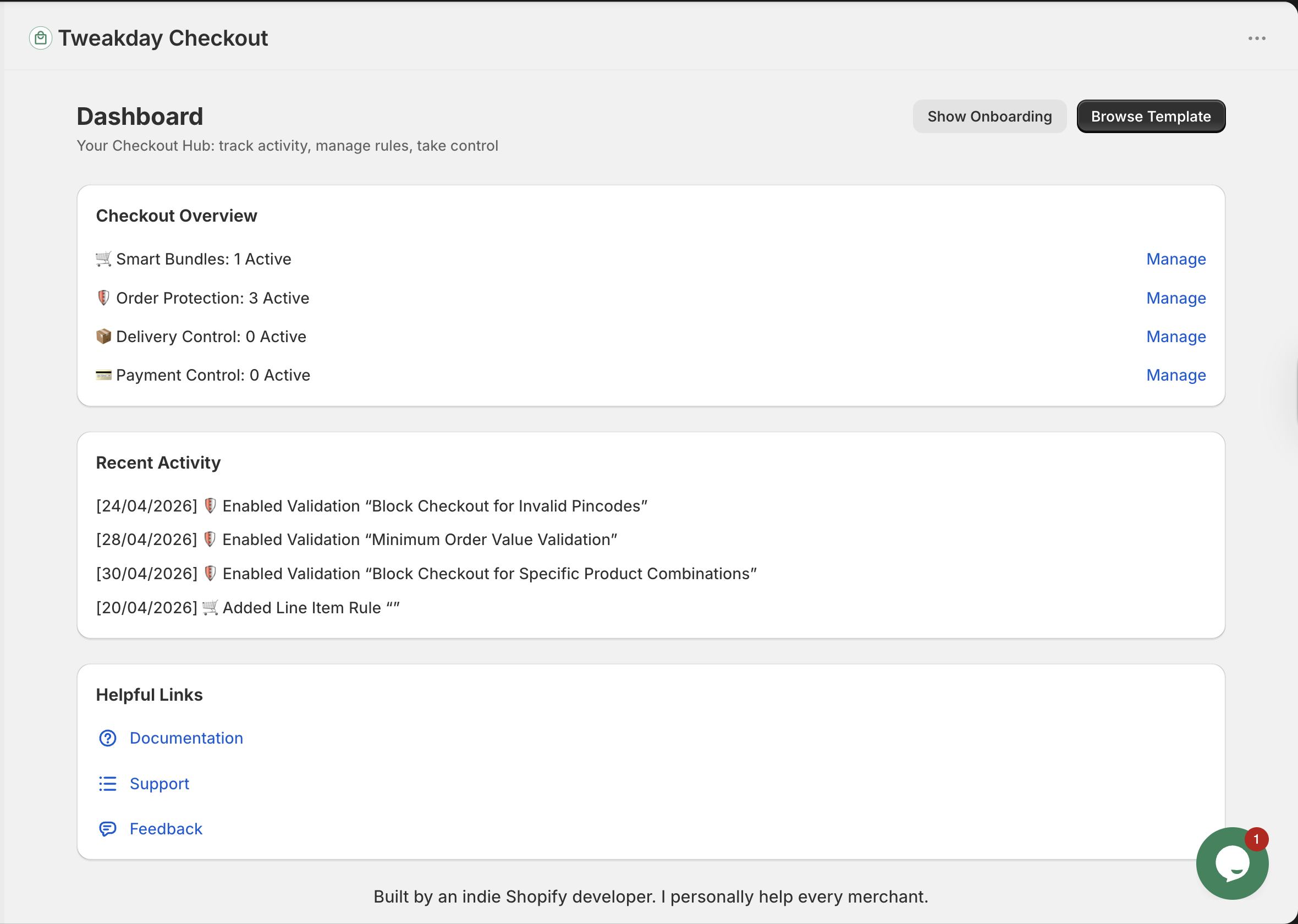



Up and running in 3 minutes
Install from Shopify
One click from the Shopify App Store. No theme edits, no code required.
Pick a rule type
Choose from checkout add-ons, order protection, shipping control, or payment control.
Set conditions & go live
Use ready-made templates or build custom rules with AND/OR logic. Test in sandbox mode first, then activate.
Everything happens at checkout
Any product in your store becomes a checkout add-on. Set the condition, pick the product, done.

Fees, warranties & gifts — attached to the right product automatically
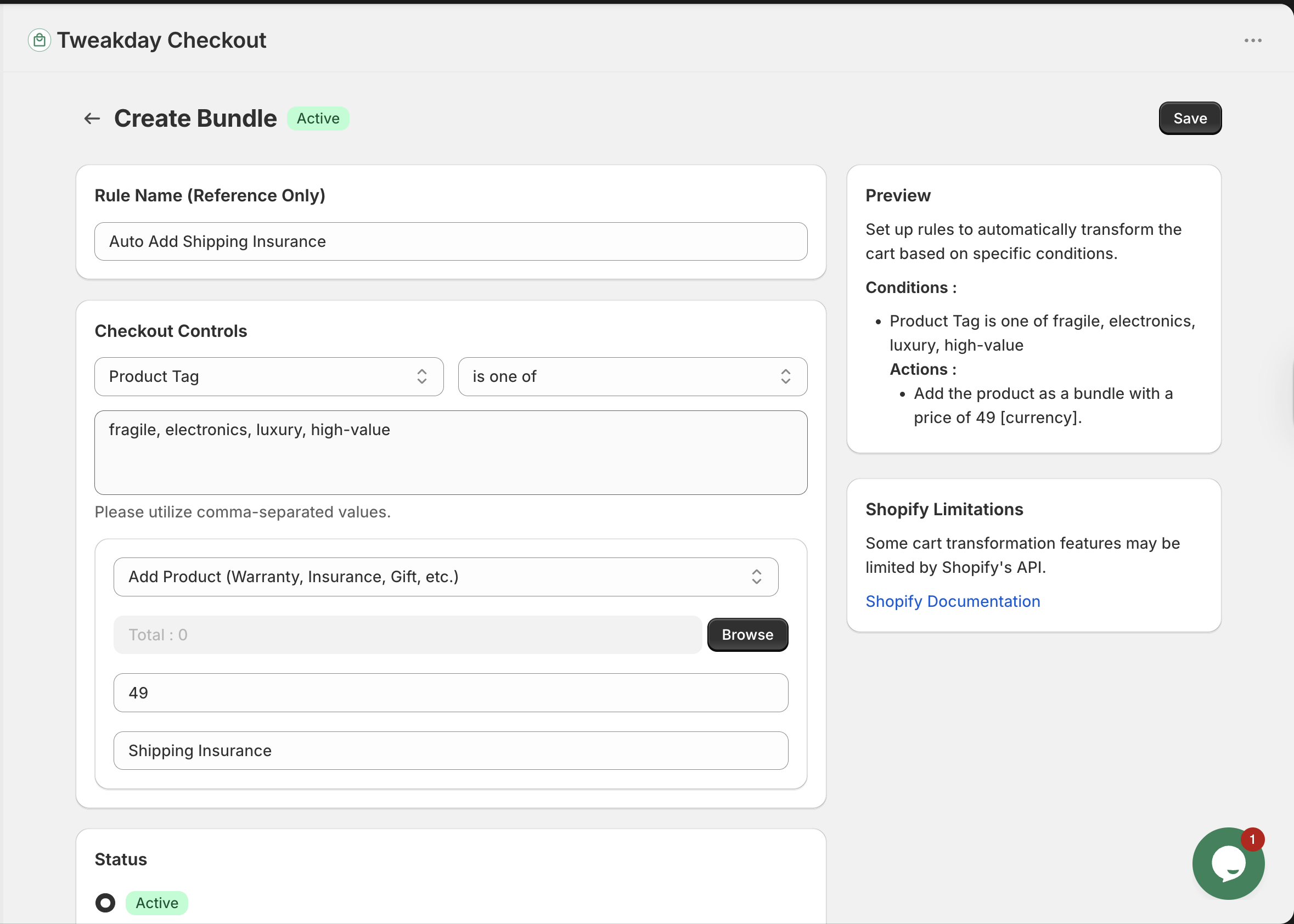
Set a condition. When a customer buys a fragile item, a handling fee attaches. Buy a phone, a warranty adds. Buy 2 phones, 2 warranties. Per item, not per order. Quantity scales automatically. No customer action needed.


Your rules. Your conditions.
Trigger add-ons by product tag, cart total, customer tag, item price, quantity, weight, discount code, and more. Combine conditions for precise control.

No product? We create it automatically.
Need to add shipping insurance or a warranty but don't have a product set up? Tweakday auto-creates a draft virtual product — never shows in your store, never requires fulfillment.
Not just for Shopify Plus.
Every competitor either requires Plus or touches your theme code. Tweakday runs purely on Shopify Functions — no theme edits, no code, works on Basic, Grow, Advanced, and Plus.

0+
Active Stores
5.0 ★
App Store Rating
Free
Plan to get started
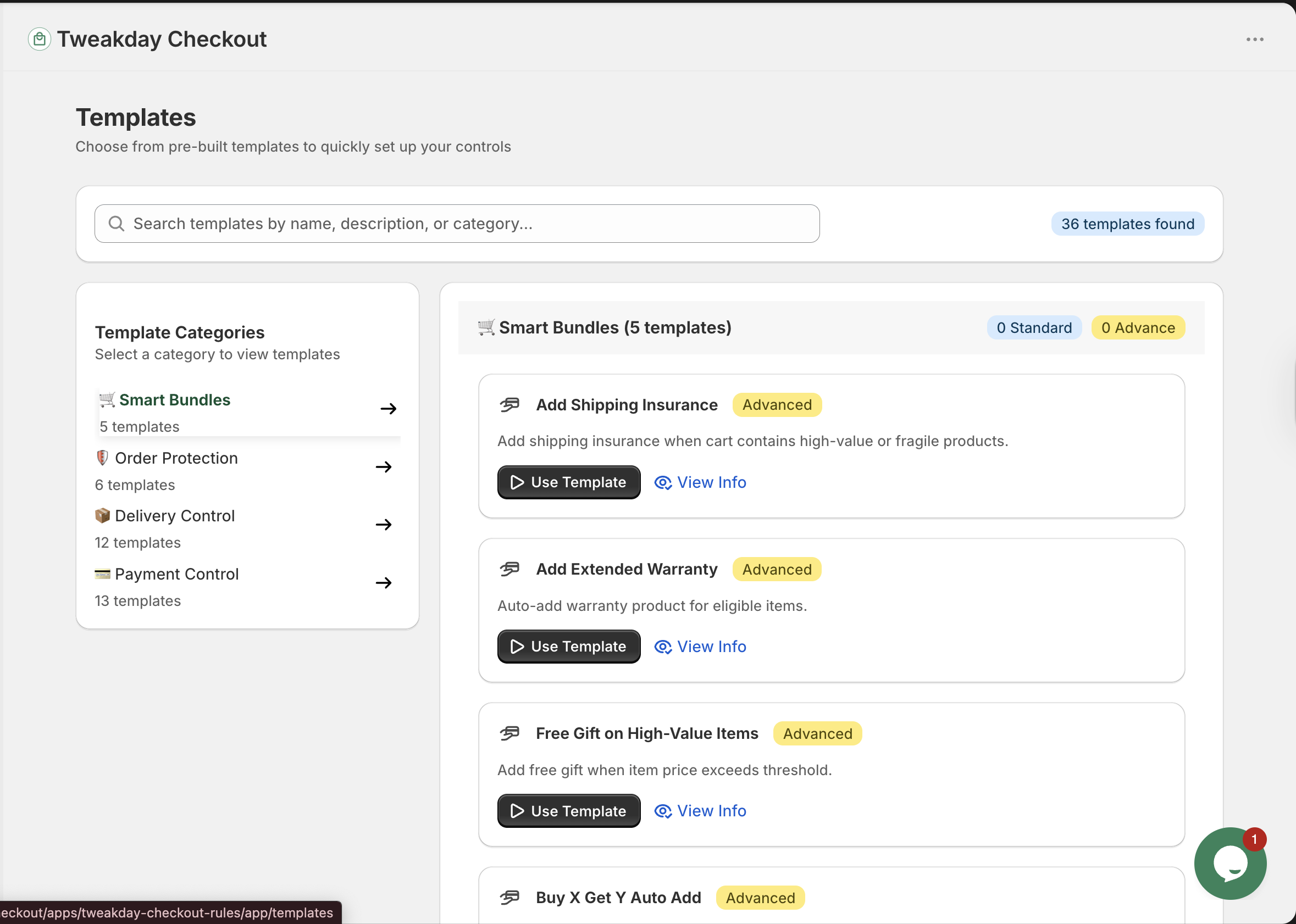
Ready-made templates
Install in one click — no setup from scratch.
Shipping Insurance
Auto-attach shipping insurance to fragile or high-value products. Customer buys, insurance attaches. You keep 100% of the fee.
Extended Warranty
Auto-add a warranty when eligible products are in the cart. High-margin revenue on every qualifying order.
Installation & Assembly Fee
Automatically recover installation costs at checkout. Fee attaches to the product, not the order.
Buy X Get Y
Customer buys a specific product — a free companion product auto-attaches at checkout. Silent. No customer action needed.
Handling Fee
Auto-add a handling fee to fragile, heavy, or specialist products. Recover fulfilment costs on every order.
Free Gift on High-Value Order
Automatically attach a free gift when cart value exceeds your threshold. Reward high-value customers silently.
Start free. Upgrade when you're ready.
- Order Protection
- Delivery Control
- Payment Control
- Ready-made Templates
- Standard Support
- Order Protection
- Delivery Control
- Payment Control
- Ready-made Templates
- Standard Support
Common questions
Does it work on all Shopify plans?
What does the free plan actually include?
Is there a free trial on the Pro plan?
Does it require theme edits or custom code?
Can I test a rule before it goes live?
5★ from every merchant

"Most developers were asking me to pay for Shopify Plus. Bharat was very helpful and instantly solved the issue."
HAWTHONS — UK
"We compared it with five other checkout rules apps, but either they did not work properly or they required payment even for the smallest tweak. Tweakday clearly stood out."
Ayoub, Kingspan — Belgium
"I had been looking for a simple checkout validation app...tried many, but they either didn't function well or required Shopify Plus accounts."
House of Habanero — UAE
"Very user-friendly app that absolutely fulfils its purpose. We highly recommend it."
Carrera — Austria
"Bharat has been great giving me support. Even went the extra mile and created a new feature aligned to my store's needs."
Proven Part — United States


Start recovering costs and adding revenue on every order.
Free plan included. No credit card. No code. No theme edits.
Install Free on Shopify